This Tool Replaced 7 CLIs (and killed my opensource)
developer-toolsterminalfuzzy-findertelevisionfzftmuxnushellkubernetesdotfiles
Verdict: Television stays for its TOML channels, which replace a file picker, a log reader, kubectx and Omer's own tmux-sessionx; the review also names the early bugs, Nushell breakage and Ctrl-heavy key bindings.
TL;DR
- Omer Hamerman (DevOps Toolbox, Mar 2026) reviews Television (
tv), a fuzzy finder written in Rust, and keeps it. Omer calls it "a much-needed fuzzy picker for those of us who are tired with piping results and figuring out flags". - What sets it apart from fzf is channels: TOML files under
~/.config/television/cable/that define a source command, a preview command, key bindings and actions. A remote (Ctrl-R) switches between them, andtv update-channelspulls in community channels for AWS, Docker, Kubernetes, GitHub, cron, fonts and more. - Omer says it replaces about seven utilities. Five come up in the video: Ranger as a file picker, a tool for reading Kubernetes logs, an AWS bucket browser, kubectx, and Omer's own tmux-sessionx plugin, which a floating
tvsession picker "literally just killed". - A picked file is only echoed back by default, several channels break under Nushell, the CLI has no execute flag, and the key bindings rely on Ctrl and F keys with no leader key, so even the help menu needed an extra keyboard layer.
- Omer has started pushing reworked channels to a personal dotfiles repository.
Full summary
Yet another fuzzy finder?
Omer opens with twelve years in the terminal and a habit of dismissing new projects as another dotfiles manager or another Rust rewrite of a Unix tool. Television looked like another fuzzy finder, and fzf is already excellent. Omer was wrong: it has a themeable, easily tweaked UI, a pluggable preview window and, like any TV, a remote that switches channels. Built-in channels cover environment variables, directories and text, and hooks track Git, Docker, Kubernetes, npm, tmux, AWS, downloads and SSH hosts. Anything missing can be built from a TOML template. Omer promises to show how channels replaced more than seven utilities, and to list what is missing at the end in the hope that the authors pick it up.
First run
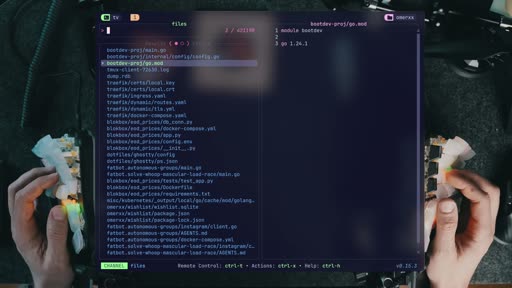
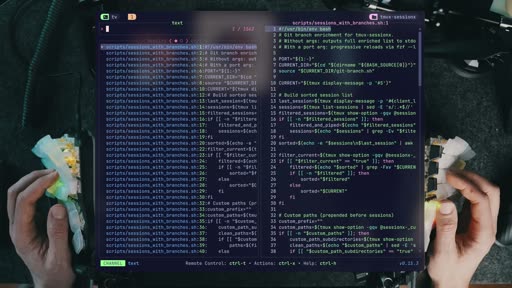
The project already has traction on GitHub. On a Mac the install script goes through Homebrew instead of downloading its own binary. Running tv in a home directory starts a file picker, since files are the default channel. The help lists commands such as listing channels, shell completion and update-channels, without which, Omer jokes, your telly stays in black and white. In a smaller directory you get an instant file picker with preview, much like the Ranger file manager, so Ranger is the first tool off the list. Picking a file, though, just echoes its name back to the shell, a surprise Omer fixes later.
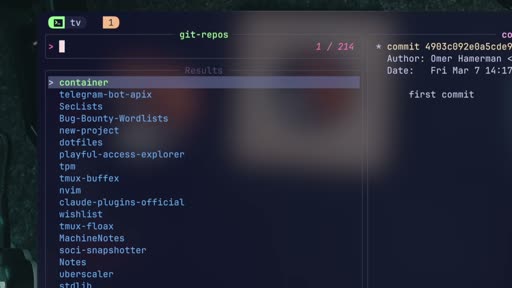
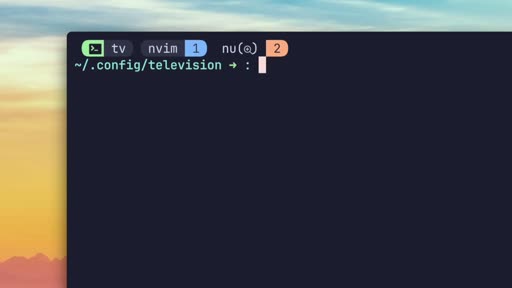
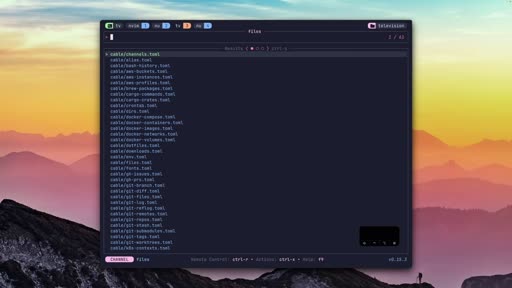
Other default channels include text search with a convenient UI and Git repositories, which lists every repo under a path with its Git log as preview. It wouldn't be Omer's first choice, since it doesn't show whether each repo is on its main branch and fetched. Ctrl-R opens the remote to zap between channels such as environment variables, directories (where Nushell compatibility problems surface) and Git branches. tv list-channels only prints the list, but it can be piped into tv, which shows that anything can be piped in. Picking from that list does nothing, because the defaults are only a start: channels are what make it powerful, "kind of like skills to an AI agent".
Building a channel
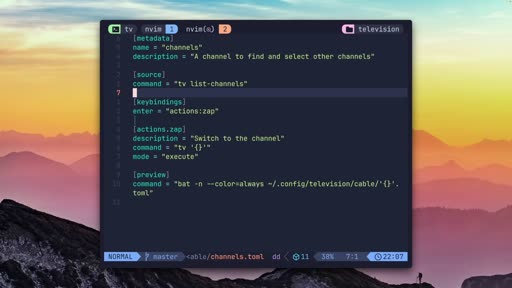
Channels live in the cable directory under ~/.config/television, next to the config file. Omer builds a "channels" channel, a channel that lists channels. The metadata holds a name and description, the source is tv list-channels, and Enter is bound to a made-up zap action whose command is tv '{}' in execute mode; bat renders the channel's TOML file in the preview. Actions can either replace tv or fork, returning to the original source when they finish. The result is a nicer way to browse channels, and Omer suspects someone thought of it first.
Logs, files and the shell
Piping logs into tv is the next win. Omer pipes the system log, and logs from VictoriaMetrics in a remote Kubernetes cluster, and they are easy to read and search; any JSON or text works, and so do Git logs. That scratches off a utility Omer had long used to read Kubernetes logs: "TV just killed it for me." Processes work too, though Nushell's tables produce odd results.
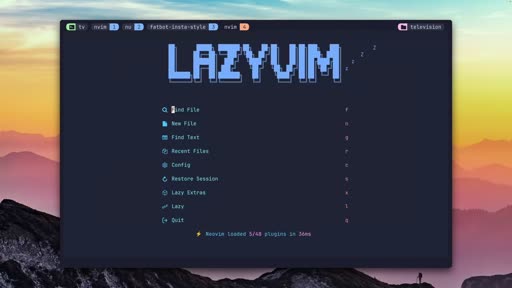
nvim (tv files) works but is clumsy, so to make file picking useful Omer edits the files channel itself: bind the edit action to Enter instead of F12, adjust the actions, and tv now opens the picked file in Neovim. For quick one-off searches tv accepts a source command and a preview command on the command line, and the preview can be adjusted there too. Omer misses two things here: the preview size can't be adjusted on the fly, and the CLI flags can't also execute an action on the result, which makes tv hackable but limited. Search patterns support regular expressions.
Shell integration supports Nushell. It adds two fzf-like bindings: Ctrl-R for history, which Omer finds oddly filtered next to atuin and skips, and Ctrl-T for smart completion. After cd, Ctrl-T offers directories, but the preview is broken until Omer swaps ls for exa in the dirs channel; then completion, preview and entering the directory all work.
The channel catalogue
tv update-channels downloads the community channels in seconds: AWS, bash, cron, Docker, downloads, fonts, GitHub, Kubernetes and more, all kept in the cable folder of the Television repository, where Omer invites viewers to contribute. Many of the one-liners break in Nushell, so Omer has pushed the channels to a dotfiles repository and is fixing them one by one. An attempt to fix them with OpenCode and its free model made things worse: "Nushell is special, and that's probably the limit of AI." The fixed AWS buckets channel lists and previews bucket contents, another utility scratched off. A Homebrew packages channel could become a Mac cleaner with more actions and multi-select, and Omer muses about channels for worktrees and a Kubernetes picker.
Killing tmux-sessionx
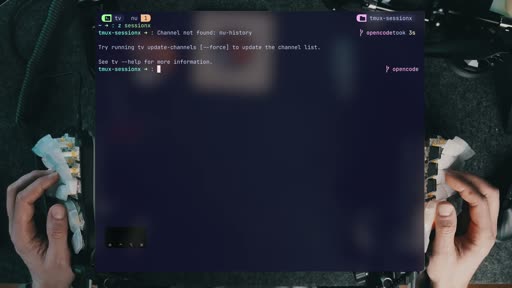
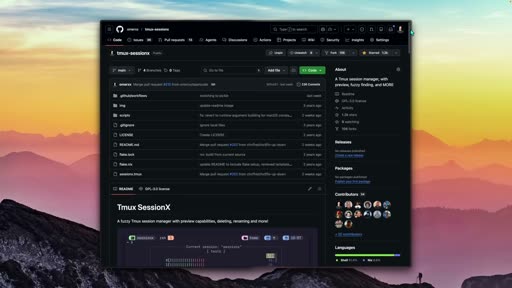
Omer spent months building tmux-sessionx, a popular tmux session switcher with a fuzzy picker and scrollable preview. Now another of Omer's plugins, floax, opens a floating window running tv with its tmux session channel and does nearly the same job; it only needs work on the actions. "This literally just killed my plugin," Omer says, at least for anyone willing to use tv as their tmux session picker. That is the "killed my opensource" of the title.
Configuration and key bindings
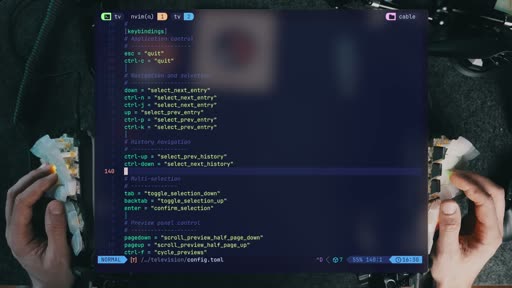
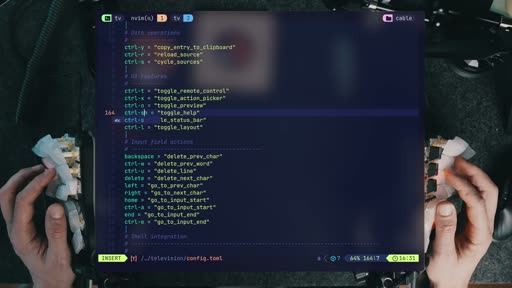
~/.config/television/config.toml has informative comments but needs some hard changes. Themes include Gruvbox; Omer stays on Catppuccin. The real problem is key bindings: about 90% are on Ctrl and many on F keys. tmux, Neovim, OpenCode and AeroSpace offer a leader key, and Omer calls it naive to expect every Ctrl combination to be free for one app; Ctrl-A is already tmux, and H, J, K and L are arrows. Without a leader key or mode switch, Omer would at least like other modifiers, but couldn't find any in the docs. Even opening the help menu took adding F keys to a layer on the Dygma keyboard, and the usual question mark can't be mapped. Omer finds the status bar toggle quite useless. Ctrl-O toggles the preview, and a new Ctrl-T binding switches the layout between vertical and horizontal.
The verdict
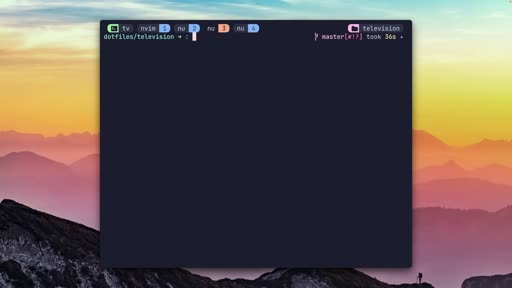
For Kubernetes users of kubectx, an fzf-based context switcher, the Kubernetes context channel picks a cluster, previews useful data and switches in one shot, killing another dedicated utility with a better flow. Omer sums up that Television's power is its simplicity and lean approach, though it still feels a bit clunky. It stays: it replaces almost seven utilities and the templating makes it fantastic. The wishlist is a config leader key, more modifier keys, an execute flag for the CLI and fixes for the early bugs. Omer closes by recommending the channel's fzf video, calling fzf one of the most powerful CLIs around.
Key moments
- [00:22] Not another fuzzy finder — themes, a pluggable preview and a channel remote. frame_0002.jpg
- [01:23] First run — Homebrew install;
tvopens a file picker by default. frame_0005.jpg - [02:41] Ranger off the list — an instant file picker with preview, though it only echoes the pick. frame_0007.jpg
- [03:12] The remote — Ctrl-R zaps between channels;
tv list-channelspipes intotv. frame_0010.jpg - [04:01] A channels channel — a TOML channel with source, action and preview. frame_0013.jpg
- [06:18] Logs — system and Kubernetes logs piped into
tvreplace a log reader. frame_0019.jpg - [08:57] Community channels —
tv update-channelsadds AWS, Docker, Kubernetes, GitHub and more. frame_0027.jpg - [10:21] tmux-sessionx replaced — a floating
tvsession picker does the plugin's job. frame_0030.jpg - [11:17] Key bindings — Ctrl and F keys everywhere, no leader key, and an unmappable question mark. frame_0033.jpg
- [12:53] kubectx — the Kubernetes context channel switches clusters in one shot. frame_0038.jpg
Hook microscope (0-10s)
-
Frames: 20 at 2 fps
Read these hook frames with the Read tool:
hook_frames/frame_0001.jpg(t=0.0s)hook_frames/frame_0002.jpg(t=0.5s)hook_frames/frame_0003.jpg(t=1.0s)hook_frames/frame_0004.jpg(t=1.5s)hook_frames/frame_0005.jpg(t=2.0s)hook_frames/frame_0006.jpg(t=2.5s)hook_frames/frame_0007.jpg(t=3.0s)hook_frames/frame_0008.jpg(t=3.5s)hook_frames/frame_0009.jpg(t=4.0s)hook_frames/frame_0010.jpg(t=4.5s)hook_frames/frame_0011.jpg(t=5.0s)hook_frames/frame_0012.jpg(t=5.5s)hook_frames/frame_0013.jpg(t=6.0s)hook_frames/frame_0014.jpg(t=6.5s)hook_frames/frame_0015.jpg(t=7.0s)hook_frames/frame_0016.jpg(t=7.5s)hook_frames/frame_0017.jpg(t=8.0s)hook_frames/frame_0018.jpg(t=8.5s)hook_frames/frame_0019.jpg(t=9.0s)hook_frames/frame_0020.jpg(t=9.5s)
-
Word-level transcript (37 words):
  [  0.16s] There
  [  0.41s] aren't
  [  0.69s] many
  [  0.94s] projects
  [  1.45s] that
  [  1.77s] can
  [  1.93s] surprise
  [  2.40s] me
  [  2.56s] after
  [  2.88s] 12
  [  3.13s] years
  [  3.41s] of
  [  3.46s] working
  [  3.81s] in
  [  3.91s] the
  [  4.06s] terminal.
  [  4.64s] I'll
  [  4.89s] see
  [  5.08s] a
  [  5.14s] new
  [  5.36s] shiny
  [  5.65s] project
  [  6.10s] and
  [  6.29s] would
  [  6.61s] assume
  [  7.04s] it's
  [  7.36s] yet
  [  7.44s] another
  [  7.68s] .files
  [  8.08s] manager,
  [  8.52s] or
  [  8.91s] one
  [  9.56s] of
  [ 10.00s] the
  [ 10.00s] million
  [ 10.00s] modern
  [ 10.00s] Rust
- 0.0s: Omer talks to camera in a framed inset over a collage of terminal and project screenshots, on "There aren't many projects that can surprise me".
- by 3.0s: "12 YEARS" appears over the inset on "after 12 years".
- by 4.0s: "TERMINAL" joins it on "of working in a terminal".
- by 5.0s: The inset shrinks to the left with a dimmed project page beside it, as Omer runs through the projects that usually don't impress.
- by 8.0s: Cut to a full-frame shot of Omer at the desk.
Pattern: a credibility claim (12 years in the terminal) that sets up a reversal; Omer expected another fuzzy finder and was wrong.
Editorial profile
- Shots: 26
- Cuts/min: 1.87
- Mean shot length: 32.05s
- Median shot length: 30.78s
- Talking-head ratio: n/a (opencv not installed)
Personal tool review with motion-graphics polish: to-camera shots at a desk with keyboards and plants, cut with full-screen terminal demos in a framed window on a sunset wallpaper, close-ups of hands on a keyboard behind blurred screens, and kinetic text in the opening. A sponsor segment sits in the middle.
Quotable moments
- [01:07] "a much-needed fuzzy picker for those of us who are tired with piping results and figuring out flags"
- [03:49] "What makes it actually powerful, kind of like skills to an AI agent, are channels you create, modify, and control."
- [09:41] "Nushell is special, and that's probably the limit of AI."
- [10:49] "This literally just killed my plugin"
- [13:15] "TV's power actually lies in its simplicity and lean approach"
Entities mentioned
- People: omer-hamerman
- Companies: DevOps Toolbox, Dygma
- Tools / products: television, fzf, Ranger, Neovim, LazyVim, Nushell, tmux, tmux-sessionx, floax, atuin, exa, bat, kubectx, Kubernetes, VictoriaMetrics, AWS S3, Homebrew, OpenCode, AeroSpace, Catppuccin, Gruvbox
Concepts surfaced
- picker-channels: a fuzzy picker whose sources, previews, key bindings and actions are defined per channel in config files, so one tool covers many lists.
- Tool consolidation: one configurable picker replacing several single-purpose utilities (a file picker, a log reader, kubectx, a tmux session switcher).
- binding-modes: Omer's case for a leader key or mode switch like those in tmux and Neovim, since Ctrl combinations such as tmux's Ctrl-A are already taken.
- augment-over-replace: here the new tool does replace the old ones, including Omer's own plugin.
Frame timeline
What's said while each frame is on screen.
[00:00]
There aren't many projects that can surprise me after 12 years of working in a terminal. I'll see a new shiny project and would assume it's yet another dot files manager or one of the million modern rust alternatives for Unix utilities. So, when I first saw television, no, not this one, that one, I thought, "Okay, yet another fuzzy finder. The world has FCF and it's pretty amazing as is." I was wrong. Not only it comes with a theme to a easily tweakable UI and a pluggable...
[00:47]
npm, tmux, AWS, your downloads, even SSH hosts. And if that long list doesn't have what you're after, it has a very easy toml template to build your own channel, which I did. Multiple. You're going to see how these channels replaced over seven different utilities I had around. And that's before even adding my own. Is it perfect? Well, no, but it's fantastic enough to ignore and a much-needed fuzzy picker for those of us who are tired with piping results and figuring out...
[01:13]
missing at the end in hopes that the authors pick it up, but other than that, it may be the next terminal step I never knew I needed. Let's get into it. Every project starts with a popularity test and [music] television has already picked up its traction. Written in Rust, and if judging by the comments, 50% of you are now excited while the other half are off to another video without hearing an extra word. But, TV is a very fast, portable, and hackable fuzzy finder. Copy the...
[01:54]
and that's because its default picker is files. That's changeable and configurable. We'll get to that. The lin help menu shows a few commands listing available channels in it for completion and update channels, which without it, your telly will stay in black and white. And while the other switches resemble FCF, as you can probably tell by the short list here, that's not why they're here. You cannot fight this. Running TV in a more contained environment gets you an instant...
[02:38]
not expect that. We'll have to put a pin in that and fix it, too. Nevertheless, here's one thing I don't need anymore with TV here. Ranger is off the list. And while files are the default, here are other default pickers it comes with like, look surprised, text. Search through strings yielding a very convenient UI. What else? Git repos. You can have a bunch of them under one path with their Git log as preview. Makes
[02:57]
convenient UI. What else? Git repos. You can have a bunch of them under one path with their Git log as preview. Makes staying on top of multiple projects a bit easier, although I must be honest, that doesn't guarantee all of them are in the master branch fetched from remote, so I wouldn't say it would be my first choice. Now, instead of guessing our next picker, every TV comes with a remote. This one pops by default with control R, where you can zap through different...
[03:38]
into TV instead of getting printed, which is a good place to show how things can just be piped to it as well. TV list channels pipe to TV and there we go. But, pick one and nothing. No, that's not a mistake. TV comes with defaults. What makes it actually powerful, kind of like skills to an AI agent, are channels you create, modify, and control. I don't want to go too deep right now because next, you're about to see one command that populates your television with all the...
[04:20]
short, the metadata keeps what it is, the source holds the sourcing utility, in this instance, TV list channels, and then we have actions and key bindings to come with them. Enter is mapped to actions zap, and I just made up the zap command, which takes the input from the source, and in our case, just adds it to TV. Actions can be executed to replace TV or forked to run, and when you're done, it'll go back to the original TV source. Lastly, we have the preview, which...
[05:02]
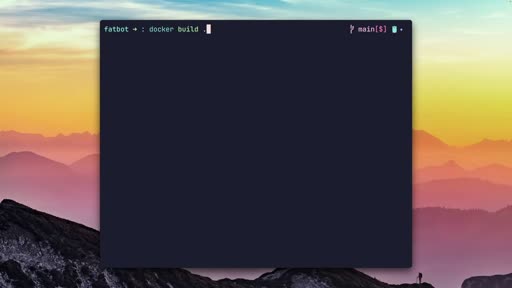
devops workflow, it's waiting for the container builds to finish. Usually, you're stuck watching a progress bar crawl along, but Depot, the sponsor of today's video, is here to completely bypass that frustration. It's a developer infrastructure platform that acts as a literal drop-in replacement for your existing build tools. The transition is seamless because you basically just swap out the Docker build command with Depot build. Behind the scenes, it uses a remote buildkit...
[05:22]
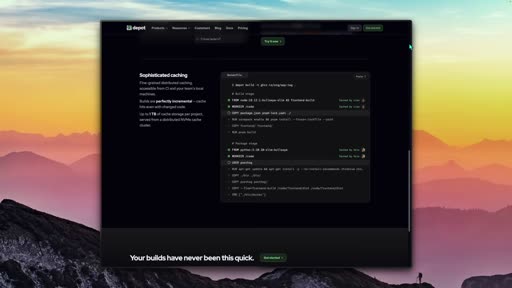
command with Depot build. Behind the scenes, it uses a remote buildkit infra with persistent caching to make your Docker builds up to 40 times faster. It also handles native multi-platform support for x86 and arm without any of the usual emulation slowdowns that eat up your time. Beyond the build themselves, you can also integrate their managed GitHub action runners into your CI/CD pipeline. These runners are about three times faster than the standard GitHub-hosted ones,...
[06:04]
that actually gives you time back in your day by removing those CI bottlenecks. It's one of those things you really have to see in your own pipeline to believe how much the speed difference changes your productivity. You can head over to the link in the description to start a free trial and see how much faster your own builds can get. Now, back to the video. Another fantastic TV use case is following logs. I can take my system log and pipe it through or my Victoria metrics...
[06:46]
[music] be happily sent to our television. Your Git logs, same. Processes, well, yeah, but if you're in nushell, the table it's going to produce some funny-looking results. So, TV files, as shown earlier, doesn't do much. What you can do in line is run nvim TV files, allowing you to pick a file and send it to nvim. That's nice, but not very efficient. What if we just fix the default behavior? All you have
[07:06]
but not very efficient. What if we just fix the default behavior? All you have to do is find the files channel under cables. [music] Find the edit command, make the binding make sense like enter instead of F12, and update the actions as you see fit. That's pretty much it. Run TV, which I remind you, runs files as its default channel anyway, pick a file, and there it is in nvim. What if you don't have a picker, but the search is small enough to just use it? TV can use pipes,...
[07:48]
can't predict the preview size, for example? Wouldn't it make sense to adjust on the fly? You know what? Forget about this one. What if I'm using these flags and I want to also execute on the files here? That's not doable. And that makes TV hackable, but also quite limited at this point. If we're comparing to you know who, a nice feature is search patterns supporting regular expressions, which is a good place to bring up a video on the channel to teach you about regex once...
[08:22]
you get with a television-infused nushell or a shell? Two new friends are added, and this is very FCF-like. Control R for history, which is kind of strange what's filtered here if compared to my atuin history. I'm sticking to atuin, but [music] control T is a smart completion. I can CD and here are directories to CD into. The preview is broken, though, so a quick edit to the dirs channel, switch ls with something proper like exa, and sweet, [music] everything works. I can...
[08:52]
everything works. I can auto-complete, preview the directory, and hit it to get in. Okay, ready. Without the next command, TV is not what it is. TV update channels, give it [music] a couple of seconds, and then list cables. I mean, look at that. AWS, bash, cron, Docker, downloads, fonts, GitHub, Kubernetes. Should I go on? Anything you want is right here, and anything you're missing is easily built on your own. All channels are under television's repo, cable, and pick your...
[09:23]
have a game-changers we can all use, like the channels channel I just built earlier. Don't be annoyed by non-compatible nushell one-liners. If you're hipster like me who refuses to go back, I pushed my channels to my dot files, and I'm slowly going over them and fixing compatibility. I even tried throwing open code at it with their free model, which caused even more chaos, so please don't. Nushell is special, and that's probably the limit of AI. So, AWS buckets, fixed....
[10:21]
see go crazy on Kubernetes with TV. But, when I see something funny, I've spent [music] months building tmux sessionx. It's quite popular, too. Pops a session switcher in tmux with name scrollable preview and a few other options. This is sessionx, a nice pop-up running sessions, a fuzzy picker, and a scrollable preview. But, I can now run another plugin I built called flox that pops a floating window and run TV with its tmux session picker. Isn't that crazy? We just need to...
[10:53]
my plugin if someone wants to use TV as their session picker for tmux. Okay, time for some configuration. .config/television/config.toml is where it all happens. The comments are quite informative as it is without going into every detail, but I do think this setup deserves a few hard changes before it makes sense. You can play with the themes like gruvbox if that's your thing. I'm sticking to catppuccin until I change my mind. My real problem starts with the key bindings....
[11:17]
I change my mind. My real problem starts with the key bindings. [music] First off, 90% of keys here are mapped to control and too many F keys, which I'm honest, I have no idea where they are on my keyboard and I'm pretty familiar with my keyboard layout if that wasn't established yet. Many other applications starting from tmux and Neovim, but also open code and even file managers like aerospace come with some kind of a leader key made especially for that. It's quite naive...
[11:59]
like right, shift, or function, something I couldn't find [music] in the docs starting from the help menu. One of the things you anxiously want by your side with any new tool. Not only I had to search and figure out there's non-conflicting partner for control, I literally went and added [music] F keys to my D 5 on another layer just to access the help menu, which would have been nicer if it could use something like the typical question mark, which for some reason isn't...
[12:36]
back. Toggle layout is your biting. Now, I can toggle my preview pane on and off using control O. I try to remember that one as open for O. And now, with control T, I can toggle the layout, and that's fairly [music] convenient. Lastly, just showing the power behind TV and many tools it can instantly replace without putting in effort, Kubernetes users like
[12:51]
showing the power behind TV and many tools it can instantly replace without putting in effort, Kubernetes users like me who have used kubectx, which is another pure fzf utility built for switching clusters, get this. Kubernetes context, pick your cluster, which also previews important data, and switch context with one shot. Boom. One channel just killed another dedicated utility I previously had with a better flow and additional helpful information. I think it's clear by...
[13:43]
pushing it too far, fixing all those initial crazy bugs. If you're not convinced, and even if you are, please watch the next fzf video because this is one of the most, if not the most powerful CLI we currently have on the internet. Thank you for watching, and I'll see you on the next one.
Transcript
Source: captions.
[00:02] There aren't many projects that can surprise me after 12 years of working in
[00:04] surprise me after 12 years of working in a terminal. I'll see a new shiny project
[00:06] a terminal. I'll see a new shiny project and would assume it's yet another dot
[00:08] and would assume it's yet another dot files manager or one of the million
[00:09] files manager or one of the million modern rust alternatives for Unix
[00:11] modern rust alternatives for Unix utilities. So, when I first saw
[00:13] utilities. So, when I first saw television, no, not this one, that one,
[00:16] television, no, not this one, that one, I thought, "Okay, yet another fuzzy
[00:18] I thought, "Okay, yet another fuzzy finder. The world has FCF and it's
[00:20] finder. The world has FCF and it's pretty amazing as is."
[00:22] pretty amazing as is." I was wrong. Not only it comes with a
[00:24] I was wrong. Not only it comes with a theme to a easily tweakable UI and a
[00:26] theme to a easily tweakable UI and a pluggable preview window. And before you
[00:28] pluggable preview window. And before you say FCF again, I know it can be done
[00:30] say FCF again, I know it can be done there. Please be patient. Above all,
[00:32] there. Please be patient. Above all, like any other TV, it comes with a
[00:34] like any other TV, it comes with a remote that switches channels. Amongst
[00:37] remote that switches channels. Amongst the obvious envars, directories, and
[00:39] the obvious envars, directories, and text, it comes with pre-baked hooks.
[00:41] text, it comes with pre-baked hooks. These can track Git, Docker, Kubernetes,
[00:43] These can track Git, Docker, Kubernetes, npm, tmux, AWS, your downloads, even SSH
[00:46] npm, tmux, AWS, your downloads, even SSH hosts. And if that long list doesn't
[00:49] hosts. And if that long list doesn't have what you're after, it has a very
[00:50] have what you're after, it has a very easy toml template to build your own
[00:52] easy toml template to build your own channel, which I did. Multiple. You're
[00:54] channel, which I did. Multiple. You're going to see how these channels replaced
[00:56] going to see how these channels replaced over seven different utilities I had
[00:58] over seven different utilities I had around. And that's before even adding my
[01:00] around. And that's before even adding my own. Is it perfect? Well, no, but it's
[01:03] own. Is it perfect? Well, no, but it's fantastic enough to ignore and a
[01:05] fantastic enough to ignore and a much-needed fuzzy picker for those of us
[01:07] much-needed fuzzy picker for those of us who are tired with piping results and
[01:09] who are tired with piping results and figuring out flags. I'll share what's
[01:10] figuring out flags. I'll share what's missing at the end in hopes that the
[01:12] missing at the end in hopes that the authors pick it up, but other than that,
[01:14] authors pick it up, but other than that, it may be the next terminal step I never
[01:16] it may be the next terminal step I never knew I needed. Let's get into it.
[01:25] Every project starts with a popularity test and [music] television has already
[01:27] test and [music] television has already picked up its traction. Written in Rust,
[01:29] picked up its traction. Written in Rust, and if judging by the comments, 50% of
[01:31] and if judging by the comments, 50% of you are now excited while the other half
[01:34] you are now excited while the other half are off to another video without hearing
[01:36] are off to another video without hearing an extra word. But, TV is a very fast,
[01:38] an extra word. But, TV is a very fast, portable, and hackable fuzzy finder.
[01:41] portable, and hackable fuzzy finder. Copy the command, run, and apparently
[01:43] Copy the command, run, and apparently the install script's choice for Macs is
[01:45] the install script's choice for Macs is homebrew rather than its own binary
[01:47] homebrew rather than its own binary download. If you just hit TV on your
[01:49] download. If you just hit TV on your home dir, it'll start picking up files
[01:51] home dir, it'll start picking up files and that's because its default picker is
[01:54] and that's because its default picker is files. That's changeable and
[01:55] files. That's changeable and configurable. We'll get to that. The lin
[01:57] configurable. We'll get to that. The lin help menu shows a few commands listing
[02:00] help menu shows a few commands listing available channels in it for completion
[02:02] available channels in it for completion and update channels, which without it,
[02:04] and update channels, which without it, your telly will stay in black and white.
[02:06] your telly will stay in black and white. And while the other switches resemble
[02:08] And while the other switches resemble FCF, as you can probably tell by the
[02:10] FCF, as you can probably tell by the short list here, that's not why they're
[02:13] short list here, that's not why they're here. You cannot fight this.
[02:16] here. You cannot fight this. Running TV in a more contained
[02:18] Running TV in a more contained environment gets you an instant file
[02:19] environment gets you an instant file picker with preview, which is a bit like
[02:22] picker with preview, which is a bit like firing up a terminal explorer like
[02:24] firing up a terminal explorer like Ranger. Since I haven't been using these
[02:26] Ranger. Since I haven't been using these recently, I don't even have it
[02:27] recently, I don't even have it installed, so I'll just pick a file.
[02:30] installed, so I'll just pick a file. But, what just happened? I'm back to the
[02:32] But, what just happened? I'm back to the shell with the file name echoed. I did
[02:35] shell with the file name echoed. I did not expect that. We'll have to put a pin
[02:37] not expect that. We'll have to put a pin in that and fix it, too. Nevertheless,
[02:39] in that and fix it, too. Nevertheless, here's one thing I don't need anymore
[02:41] here's one thing I don't need anymore with TV here. Ranger is off the list.
[02:44] with TV here. Ranger is off the list. And while files are the default, here
[02:46] And while files are the default, here are other default pickers it comes with
[02:48] are other default pickers it comes with like, look surprised, text. Search
[02:51] like, look surprised, text. Search through strings yielding a very
[02:52] through strings yielding a very convenient UI. What else? Git repos. You
[02:55] convenient UI. What else? Git repos. You can have a bunch of them under one path
[02:57] can have a bunch of them under one path with their Git log as preview. Makes
[02:59] with their Git log as preview. Makes staying on top of multiple projects a
[03:00] staying on top of multiple projects a bit easier, although I must be honest,
[03:02] bit easier, although I must be honest, that doesn't guarantee all of them are
[03:04] that doesn't guarantee all of them are in the master branch fetched from
[03:06] in the master branch fetched from remote, so I wouldn't say it would be my
[03:08] remote, so I wouldn't say it would be my first choice. Now, instead of guessing
[03:10] first choice. Now, instead of guessing our next picker, every TV comes with a
[03:12] our next picker, every TV comes with a remote. This one pops by default with
[03:14] remote. This one pops by default with control R, where you can zap through
[03:17] control R, where you can zap through different channels like envars, for
[03:19] different channels like envars, for example, or directories, which already
[03:21] example, or directories, which already bubbles the nushell compatibility
[03:23] bubbles the nushell compatibility issues. We'll touch that. You can keep
[03:25] issues. We'll touch that. You can keep going viewing Git branches and other
[03:27] going viewing Git branches and other options. To view the entire list from
[03:29] options. To view the entire list from your shell, just run TV list-channels.
[03:32] your shell, just run TV list-channels. Now, one would expect this list would go
[03:34] Now, one would expect this list would go into TV instead of getting printed,
[03:36] into TV instead of getting printed, which is a good place to show how things
[03:38] which is a good place to show how things can just be piped to it as well. TV list
[03:40] can just be piped to it as well. TV list channels pipe to TV and there we go.
[03:43] channels pipe to TV and there we go. But, pick one and nothing. No, that's
[03:45] But, pick one and nothing. No, that's not a mistake. TV comes with defaults.
[03:47] not a mistake. TV comes with defaults. What makes it actually powerful, kind of
[03:49] What makes it actually powerful, kind of like skills to an AI agent, are channels
[03:51] like skills to an AI agent, are channels you create, modify, and control. I don't
[03:54] you create, modify, and control. I don't want to go too deep right now because
[03:55] want to go too deep right now because next, you're about to see one command
[03:57] next, you're about to see one command that populates your television with all
[03:59] that populates your television with all the commands you can ask for. Yet,
[04:01] the commands you can ask for. Yet, here's a brief one. Under dot config
[04:03] here's a brief one. Under dot config television, next to the config file
[04:04] television, next to the config file we're going to build together, lies the
[04:06] we're going to build together, lies the cable directory. Let's create a new
[04:08] cable directory. Let's create a new channels channel. I know this sounds
[04:10] channels channel. I know this sounds stupid, but I am listing channels. Now,
[04:13] stupid, but I am listing channels. Now, this template has a lot more than what
[04:14] this template has a lot more than what you can see here, but to make things
[04:16] you can see here, but to make things short, the metadata keeps what it is,
[04:19] short, the metadata keeps what it is, the source holds the sourcing utility,
[04:21] the source holds the sourcing utility, in this instance, TV list channels, and
[04:24] in this instance, TV list channels, and then we have actions and key bindings to
[04:26] then we have actions and key bindings to come with them. Enter is mapped to
[04:28] come with them. Enter is mapped to actions zap, and I just made up the zap
[04:30] actions zap, and I just made up the zap command, which takes the input from the
[04:32] command, which takes the input from the source, and in our case, just adds it to
[04:34] source, and in our case, just adds it to TV. Actions can be executed to replace
[04:38] TV. Actions can be executed to replace TV or forked to run, and when you're
[04:40] TV or forked to run, and when you're done, it'll go back to the original TV
[04:42] done, it'll go back to the original TV source. Lastly, we have the preview,
[04:44] source. Lastly, we have the preview, which obviously lists the commands you'd
[04:47] which obviously lists the commands you'd want to run in the preview pane. TV
[04:49] want to run in the preview pane. TV channels, pick something like env, and a
[04:51] channels, pick something like env, and a nicer way to list channels, isn't it? I
[04:53] nicer way to list channels, isn't it? I [music] can't be the first one to think
[04:55] [music] can't be the first one to think about it. If there's one thing that
[04:57] about it. If there's one thing that consistently kills the momentum in any
[04:59] consistently kills the momentum in any devops workflow, it's waiting for the
[05:01] devops workflow, it's waiting for the container builds to finish. Usually,
[05:03] container builds to finish. Usually, you're stuck watching a progress bar
[05:04] you're stuck watching a progress bar crawl along, but Depot, the sponsor of
[05:06] crawl along, but Depot, the sponsor of today's video, is here to completely
[05:08] today's video, is here to completely bypass that frustration. It's a
[05:10] bypass that frustration. It's a developer infrastructure platform that
[05:12] developer infrastructure platform that acts as a literal drop-in replacement
[05:14] acts as a literal drop-in replacement for your existing build tools. The
[05:15] for your existing build tools. The transition is seamless because you
[05:17] transition is seamless because you basically just swap out the Docker build
[05:19] basically just swap out the Docker build command with Depot build. Behind the
[05:21] command with Depot build. Behind the scenes, it uses a remote buildkit infra
[05:23] scenes, it uses a remote buildkit infra with persistent caching to make your
[05:24] with persistent caching to make your Docker builds up to 40 times faster. It
[05:28] Docker builds up to 40 times faster. It also handles native multi-platform
[05:29] also handles native multi-platform support for x86 and arm without any of
[05:32] support for x86 and arm without any of the usual emulation slowdowns that eat
[05:34] the usual emulation slowdowns that eat up your time. Beyond the build
[05:35] up your time. Beyond the build themselves, you can also integrate their
[05:37] themselves, you can also integrate their managed GitHub action runners into your
[05:39] managed GitHub action runners into your CI/CD pipeline. These runners are about
[05:41] CI/CD pipeline. These runners are about three times faster than the standard
[05:43] three times faster than the standard GitHub-hosted ones, mainly because their
[05:45] GitHub-hosted ones, mainly because their caching is 10 times faster. You don't
[05:47] caching is 10 times faster. You don't have to worry about concurrency limits
[05:49] have to worry about concurrency limits or being stuck in a queue while the
[05:51] or being stuck in a queue while the whole team is pushing code at once.
[05:53] whole team is pushing code at once. Whether an Intel, arm, or even in
[05:54] Whether an Intel, arm, or even in Windows or macOS runners, it just works
[05:57] Windows or macOS runners, it just works within your existing environment. This
[05:59] within your existing environment. This is a classic devops toolbox essential
[06:00] is a classic devops toolbox essential that actually gives you time back in
[06:02] that actually gives you time back in your day by removing those CI
[06:04] your day by removing those CI bottlenecks. It's one of those things
[06:05] bottlenecks. It's one of those things you really have to see in your own
[06:07] you really have to see in your own pipeline to believe how much the speed
[06:09] pipeline to believe how much the speed difference changes your productivity.
[06:11] difference changes your productivity. You can head over to the link in the
[06:12] You can head over to the link in the description to start a free trial and
[06:14] description to start a free trial and see how much faster your own builds can
[06:16] see how much faster your own builds can get. Now, back to the video. Another
[06:18] get. Now, back to the video. Another fantastic TV use case is following logs.
[06:20] fantastic TV use case is following logs. I can take my system log and pipe it
[06:22] I can take my system log and pipe it through or my Victoria metrics from a
[06:25] through or my Victoria metrics from a remote Kubernetes cluster. Easily
[06:27] remote Kubernetes cluster. Easily parsable. There's another utility
[06:29] parsable. There's another utility scratched off my list that I've used so
[06:31] scratched off my list that I've used so long to read Kubernetes logs. TV just
[06:33] long to read Kubernetes logs. TV just [music] killed it for me. To be really
[06:35] [music] killed it for me. To be really honest, that's one of the nicest ways
[06:37] honest, that's one of the nicest ways I've ever read and searched logs. There
[06:39] I've ever read and searched logs. There may be actually something here. You're
[06:40] may be actually something here. You're not limited. Any log, JSON, or text will
[06:43] not limited. Any log, JSON, or text will [music] be happily sent to our
[06:44] [music] be happily sent to our television. Your Git logs, same.
[06:46] television. Your Git logs, same. Processes, well, yeah, but if you're in
[06:48] Processes, well, yeah, but if you're in nushell, the table it's going to produce
[06:50] nushell, the table it's going to produce some funny-looking results. So, TV
[06:53] some funny-looking results. So, TV files, as shown earlier, doesn't do
[06:55] files, as shown earlier, doesn't do much. What you can do in line is run
[06:58] much. What you can do in line is run nvim TV files, allowing you to pick a
[07:01] nvim TV files, allowing you to pick a file and send it to nvim. That's nice,
[07:03] file and send it to nvim. That's nice, but not very efficient. What if we just
[07:05] but not very efficient. What if we just fix the default behavior? All you have
[07:07] fix the default behavior? All you have to do is find the files channel under
[07:09] to do is find the files channel under cables. [music]
[07:10] cables. [music] Find the edit command, make the binding
[07:12] Find the edit command, make the binding make sense like enter instead of F12,
[07:14] make sense like enter instead of F12, and update the actions as you see fit.
[07:16] and update the actions as you see fit. That's pretty much it. Run TV, which I
[07:19] That's pretty much it. Run TV, which I remind you, runs files as its default
[07:21] remind you, runs files as its default channel anyway, pick a file, and there
[07:23] channel anyway, pick a file, and there it is in nvim. What if you don't have a
[07:25] it is in nvim. What if you don't have a picker, but the search is small enough
[07:27] picker, but the search is small enough to just use it? TV can use pipes, but it
[07:30] to just use it? TV can use pipes, but it can also just take your source command
[07:32] can also just take your source command and your preview command like so. You
[07:34] and your preview command like so. You can also adjust the preview through the
[07:36] can also adjust the preview through the request directly.
[07:37] request directly. This is, by the way, one of those things
[07:39] This is, by the way, one of those things I'm missing here. TV lets you play
[07:41] I'm missing here. TV lets you play around, mainly in the tui, but also
[07:43] around, mainly in the tui, but also through CLI switches. But, what if I
[07:45] through CLI switches. But, what if I can't predict the preview size, for
[07:46] can't predict the preview size, for example? Wouldn't it make sense to
[07:48] example? Wouldn't it make sense to adjust on the fly? You know what? Forget
[07:50] adjust on the fly? You know what? Forget about this one. What if I'm using these
[07:52] about this one. What if I'm using these flags and I want to also execute on the
[07:54] flags and I want to also execute on the files here? That's not doable. And that
[07:56] files here? That's not doable. And that makes TV hackable, but also quite
[07:58] makes TV hackable, but also quite limited at this point. If we're
[08:00] limited at this point. If we're comparing to you know who, a nice
[08:02] comparing to you know who, a nice feature is search patterns supporting
[08:05] feature is search patterns supporting regular expressions, which is a good
[08:06] regular expressions, which is a good place to bring up a video on the channel
[08:09] place to bring up a video on the channel to teach you about regex once and for
[08:10] to teach you about regex once and for all. Okay, here it comes, [music] my
[08:12] all. Okay, here it comes, [music] my soft spot, a shell integration.
[08:14] soft spot, a shell integration. Apparently, nushell is fully supported,
[08:17] Apparently, nushell is fully supported, so of course I went for it. Now, what do
[08:19] so of course I went for it. Now, what do you get with a television-infused
[08:20] you get with a television-infused nushell or a shell? Two new friends are
[08:24] nushell or a shell? Two new friends are added, and this is very FCF-like.
[08:26] added, and this is very FCF-like. Control R for history, which is kind of
[08:29] Control R for history, which is kind of strange what's filtered here if compared
[08:32] strange what's filtered here if compared to my atuin history. I'm sticking to
[08:34] to my atuin history. I'm sticking to atuin, but [music] control T is a smart
[08:36] atuin, but [music] control T is a smart completion. I can CD and here are
[08:39] completion. I can CD and here are directories to CD into. The preview is
[08:42] directories to CD into. The preview is broken, though, so a quick edit to the
[08:44] broken, though, so a quick edit to the dirs channel, switch ls with something
[08:46] dirs channel, switch ls with something proper like exa, and sweet, [music]
[08:48] proper like exa, and sweet, [music] everything works. I can auto-complete,
[08:50] everything works. I can auto-complete, preview the directory, and hit it to get
[08:53] preview the directory, and hit it to get in. Okay, ready. Without the next
[08:55] in. Okay, ready. Without the next command, TV is not what it is. TV update
[08:57] command, TV is not what it is. TV update channels, give it [music] a couple of
[08:59] channels, give it [music] a couple of seconds, and then list cables. I mean,
[09:01] seconds, and then list cables. I mean, look at that. AWS, bash, cron, Docker,
[09:04] look at that. AWS, bash, cron, Docker, downloads, fonts, GitHub, Kubernetes.
[09:07] downloads, fonts, GitHub, Kubernetes. Should I go on? Anything you want is
[09:09] Should I go on? Anything you want is right here, and anything you're missing
[09:11] right here, and anything you're missing is easily built on your own. All
[09:13] is easily built on your own. All channels are under television's repo,
[09:15] channels are under television's repo, cable, and pick your poison with hopes
[09:17] cable, and pick your poison with hopes it's not Windows, and contribute if you
[09:19] it's not Windows, and contribute if you have a game-changers we can all use,
[09:21] have a game-changers we can all use, like the channels channel I just built
[09:23] like the channels channel I just built earlier. Don't be annoyed by
[09:25] earlier. Don't be annoyed by non-compatible nushell one-liners. If
[09:27] non-compatible nushell one-liners. If you're hipster like me who refuses to go
[09:29] you're hipster like me who refuses to go back, I pushed my channels to my dot
[09:31] back, I pushed my channels to my dot files, and I'm slowly going over them
[09:33] files, and I'm slowly going over them and fixing compatibility. I even tried
[09:35] and fixing compatibility. I even tried throwing open code at it with their free
[09:37] throwing open code at it with their free model, which caused even more chaos, so
[09:39] model, which caused even more chaos, so please don't. Nushell is special, and
[09:41] please don't. Nushell is special, and that's probably the limit of AI. So, AWS
[09:44] that's probably the limit of AI. So, AWS buckets, fixed. Listing and previewing
[09:46] buckets, fixed. Listing and previewing their contents, which is kind of awesome
[09:48] their contents, which is kind of awesome and definitely stays with me. And there
[09:50] and definitely stays with me. And there you go, another utility I've used before
[09:52] you go, another utility I've used before scratched off my list. Brew packages,
[09:54] scratched off my list. Brew packages, there they are. I guess we need more
[09:56] there they are. I guess we need more actions, and if we could remove these
[09:58] actions, and if we could remove these and use the multi selection, that would
[10:00] and use the multi selection, that would make a great Mac cleaner. Maybe I should
[10:02] make a great Mac cleaner. Maybe I should build a channel and sell it. Anyway,
[10:04] build a channel and sell it. Anyway, channels make me come up with so many
[10:06] channels make me come up with so many options. I have to really think these
[10:08] options. I have to really think these through and start amping my setup with
[10:10] through and start amping my setup with TV commands, like going through work
[10:12] TV commands, like going through work trees or building a Kubernetes speaker
[10:13] trees or building a Kubernetes speaker that works the way I like. Maybe on
[10:15] that works the way I like. Maybe on another video. Comment if you like me to
[10:17] another video. Comment if you like me to see go crazy on Kubernetes with TV. But,
[10:19] see go crazy on Kubernetes with TV. But, when I see something funny, I've spent
[10:21] when I see something funny, I've spent [music] months building tmux sessionx.
[10:23] [music] months building tmux sessionx. It's quite popular, too. Pops a session
[10:25] It's quite popular, too. Pops a session switcher in tmux with name scrollable
[10:27] switcher in tmux with name scrollable preview and a few other options. This is
[10:30] preview and a few other options. This is sessionx, a nice pop-up running
[10:32] sessionx, a nice pop-up running sessions, a fuzzy picker, and a
[10:33] sessions, a fuzzy picker, and a scrollable preview. But, I can now run
[10:36] scrollable preview. But, I can now run another plugin I built called flox that
[10:39] another plugin I built called flox that pops a floating window and run TV with
[10:41] pops a floating window and run TV with its tmux session picker. Isn't that
[10:43] its tmux session picker. Isn't that crazy? We just need to work on these
[10:45] crazy? We just need to work on these actions, but this can easily replace a
[10:47] actions, but this can easily replace a lot of work. This literally just killed
[10:49] lot of work. This literally just killed my plugin if someone wants to use TV as
[10:52] my plugin if someone wants to use TV as their session picker for tmux. Okay,
[10:54] their session picker for tmux. Okay, time for some configuration.
[10:55] time for some configuration. .config/television/config.toml
[10:57] .config/television/config.toml is where it all happens. The comments
[10:59] is where it all happens. The comments are quite informative as it is without
[11:01] are quite informative as it is without going into every detail, but I do think
[11:04] going into every detail, but I do think this setup deserves a few hard changes
[11:07] this setup deserves a few hard changes before it makes sense. You can play with
[11:08] before it makes sense. You can play with the themes like gruvbox if that's your
[11:10] the themes like gruvbox if that's your thing. I'm sticking to catppuccin until
[11:12] thing. I'm sticking to catppuccin until I change my mind. My real problem starts
[11:15] I change my mind. My real problem starts with the key bindings. [music] First
[11:16] with the key bindings. [music] First off, 90% of keys here are mapped to
[11:18] off, 90% of keys here are mapped to control and too many F keys, which I'm
[11:21] control and too many F keys, which I'm honest, I have no idea where they are on
[11:23] honest, I have no idea where they are on my keyboard and I'm pretty familiar with
[11:25] my keyboard and I'm pretty familiar with my keyboard layout if that wasn't
[11:27] my keyboard layout if that wasn't established yet. Many other applications
[11:29] established yet. Many other applications starting from tmux and Neovim, but also
[11:31] starting from tmux and Neovim, but also open code and even file managers like
[11:32] open code and even file managers like aerospace come with some kind of a
[11:34] aerospace come with some kind of a leader key made especially for that.
[11:36] leader key made especially for that. It's quite naive expecting the user to
[11:38] It's quite naive expecting the user to have all their control combos just
[11:40] have all their control combos just available for one application. In my
[11:42] available for one application. In my setup, control A is already taken by
[11:44] setup, control A is already taken by tmux. HJKL for arrows, and it goes on.
[11:47] tmux. HJKL for arrows, and it goes on. So, this needs some fixes to say the
[11:48] So, this needs some fixes to say the least, but also, if you aren't providing
[11:50] least, but also, if you aren't providing a leader key or a mode change option, I
[11:53] a leader key or a mode change option, I think it's worth mapping other modifiers
[11:55] think it's worth mapping other modifiers like right, shift, or function,
[11:57] like right, shift, or function, something I couldn't find [music] in the
[11:59] something I couldn't find [music] in the docs starting from the help menu. One of
[12:01] docs starting from the help menu. One of the things you anxiously want by your
[12:03] the things you anxiously want by your side with any new tool. Not only I had
[12:05] side with any new tool. Not only I had to search and figure out there's
[12:06] to search and figure out there's non-conflicting partner for control, I
[12:08] non-conflicting partner for control, I literally went and added [music] F keys
[12:10] literally went and added [music] F keys to my D 5 on another layer just to
[12:13] to my D 5 on another layer just to access the help menu, which would have
[12:14] access the help menu, which would have been nicer if it could use something
[12:16] been nicer if it could use something like the typical question mark, which
[12:18] like the typical question mark, which for some reason isn't mappable here.
[12:20] for some reason isn't mappable here. Nevertheless, help menu activated.
[12:22] Nevertheless, help menu activated. Finally, I can breathe a little. Other
[12:24] Finally, I can breathe a little. Other things we can play with in the layout is
[12:26] things we can play with in the layout is toggling the status bar, which is quite
[12:28] toggling the status bar, which is quite useless, to be honest. But, what I
[12:30] useless, to be honest. But, what I really need is to be able to rotate the
[12:32] really need is to be able to rotate the layout from vertical to horizontal and
[12:34] layout from vertical to horizontal and back. Toggle layout is your biting. Now,
[12:36] back. Toggle layout is your biting. Now, I can toggle my preview pane on and off
[12:38] I can toggle my preview pane on and off using control O. I try to remember that
[12:40] using control O. I try to remember that one as open for O. And now, with control
[12:43] one as open for O. And now, with control T, I can toggle the layout, and that's
[12:45] T, I can toggle the layout, and that's fairly [music] convenient. Lastly, just
[12:47] fairly [music] convenient. Lastly, just showing the power behind TV and many
[12:49] showing the power behind TV and many tools it can instantly replace without
[12:51] tools it can instantly replace without putting in effort, Kubernetes users like
[12:53] putting in effort, Kubernetes users like me who have used kubectx, which is
[12:55] me who have used kubectx, which is another pure fzf utility built for
[12:58] another pure fzf utility built for switching clusters, get this. Kubernetes
[13:00] switching clusters, get this. Kubernetes context, pick your cluster, which also
[13:02] context, pick your cluster, which also previews important data, and switch
[13:04] previews important data, and switch context with one shot. Boom. One channel
[13:06] context with one shot. Boom. One channel just killed another dedicated utility I
[13:09] just killed another dedicated utility I previously had with a better flow and
[13:11] previously had with a better flow and additional helpful information. I think
[13:13] additional helpful information. I think it's clear by now TV's power actually
[13:15] it's clear by now TV's power actually lies in its simplicity and lean
[13:16] lies in its simplicity and lean approach, but it still feels a bit
[13:19] approach, but it still feels a bit clunky or missing obvious stuff. Not
[13:21] clunky or missing obvious stuff. Not enough for me to forget about it. I'm
[13:22] enough for me to forget about it. I'm definitely keeping this one here, and
[13:24] definitely keeping this one here, and there are a few channels I started
[13:25] there are a few channels I started working on. This one is a keeper.
[13:27] working on. This one is a keeper. Replaces almost seven different
[13:29] Replaces almost seven different utilities I currently have, and the
[13:31] utilities I currently have, and the templating features make it fantastic.
[13:33] templating features make it fantastic. I'd love to have a config leader key,
[13:34] I'd love to have a config leader key, more modifier keys for config, an
[13:36] more modifier keys for config, an execute flag for the CLI, and if I'm not
[13:38] execute flag for the CLI, and if I'm not pushing it too far, fixing all those
[13:40] pushing it too far, fixing all those initial crazy bugs. If you're not
[13:42] initial crazy bugs. If you're not convinced, and even if you are, please
[13:44] convinced, and even if you are, please watch the next fzf video because this is
[13:47] watch the next fzf video because this is one of the most, if not the most
[13:48] one of the most, if not the most powerful CLI we currently have on the
[13:50] powerful CLI we currently have on the internet. Thank you for watching, and
[13:52] internet. Thank you for watching, and I'll see you on the next one.
All frames
Total: 40. Hero frames flagged with star.
frames/frame_0001.jpg(t=00:00)frames/frame_0002.jpg(t=00:33)frames/frame_0003.jpg(t=00:47)frames/frame_0004.jpg(t=01:14)frames/frame_0005.jpg(t=01:23)frames/frame_0006.jpg(t=01:55)frames/frame_0007.jpg(t=02:15)frames/frame_0008.jpg(t=02:38)frames/frame_0009.jpg(t=02:57)frames/frame_0010.jpg(t=03:18)frames/frame_0011.jpg(t=03:38)frames/frame_0012.jpg(t=04:02)frames/frame_0013.jpg(t=04:20)frames/frame_0014.jpg(t=04:41)frames/frame_0015.jpg(t=05:02)frames/frame_0016.jpg(t=05:23)frames/frame_0017.jpg(t=05:44)frames/frame_0018.jpg(t=06:05)frames/frame_0019.jpg(t=06:18)frames/frame_0020.jpg(t=06:46)frames/frame_0021.jpg(t=07:06)frames/frame_0022.jpg(t=07:24)frames/frame_0023.jpg(t=07:49)frames/frame_0024.jpg(t=08:02)frames/frame_0025.jpg(t=08:23)frames/frame_0026.jpg(t=08:53)frames/frame_0027.jpg(t=09:13)frames/frame_0028.jpg(t=09:24)frames/frame_0029.jpg(t=09:54)frames/frame_0030.jpg(t=10:21)frames/frame_0031.jpg(t=10:35)frames/frame_0032.jpg(t=10:53)frames/frame_0033.jpg(t=11:17)frames/frame_0034.jpg(t=11:28)frames/frame_0035.jpg(t=12:00)frames/frame_0036.jpg(t=12:20)frames/frame_0037.jpg(t=12:37)frames/frame_0038.jpg(t=12:52)frames/frame_0039.jpg(t=13:12)frames/frame_0040.jpg(t=13:43)